
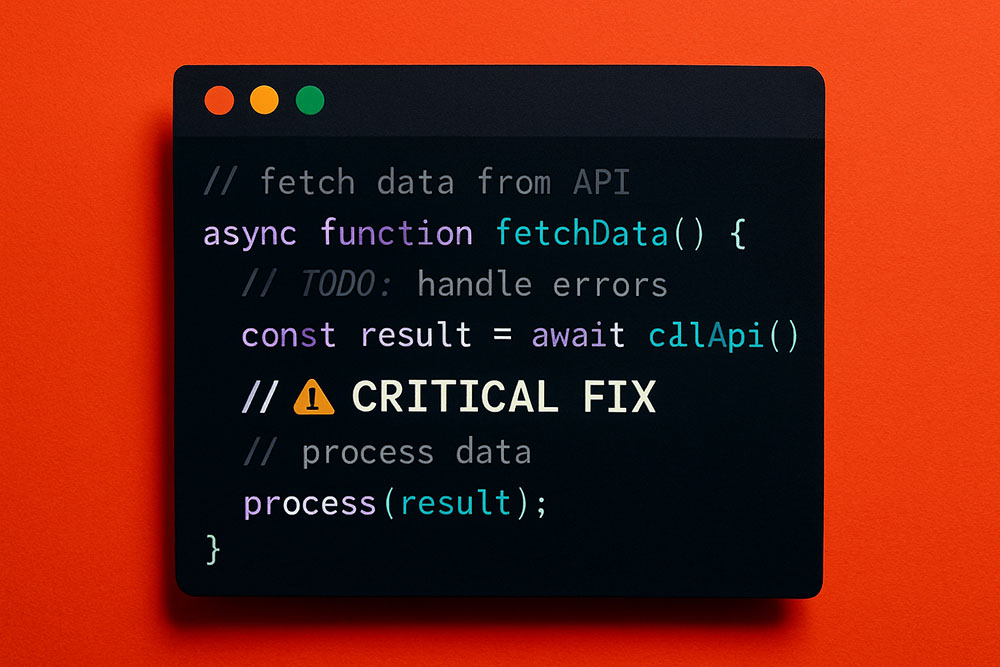
Making Comments Actually Useful
We all know we should comment our code. But let's be honest: a wall of gray text in an IDE is easy to ignore. Your eyes glaze over it. You miss the "TODO" or the "WARNING" because it looks exactly like the rest of the comment block.
Most IDEs (VS Code, IntelliJ, etc.) support Unicode characters in source files. This means you can paste bold or italic text directly into your comments to create hierarchy and visual alerts.
Structuring Your Documentation
Instead of using ASCII art or rows of hashtags to separate sections, use bold headers.
// 𝐇𝐀𝐍𝐃𝐋𝐄 𝐔𝐒𝐄𝐑 𝐋𝐎𝐆𝐈𝐍
// This section manages the auth token...
It acts like a markdown header, but it works in plain text files. It makes scrolling through a 2000-line file much easier because the sections physically pop out at you.
Highlighting Critical Warnings
If there is a line of code that looks hacky but is necessary, or a function that should never be touched, standard comments might not be enough warning.
// ⚠️ 𝐖𝐀𝐑𝐍𝐈𝐍𝐆: Do not change the timeout value below.
// 𝘐𝑡 𝑓𝑖𝑥𝑒𝑠 𝑎 𝑟𝑎𝑐𝑒 𝑐𝑜𝑛𝑑𝑖𝑡𝑖𝑜𝑛 𝑖𝑛 𝑡ℎ𝑒 𝐴𝑃𝐼.
The bold "WARNING" grabs attention, and the italic explanation provides the context in a distinct "voice." It forces the next developer to pause and read.
Will It Break the Build?
Generally, no. Modern compilers and interpreters handle UTF-8 source files without issues. Python, JavaScript, Java, C# they are all fine with Unicode in comments (and strings). However, be careful with ancient legacy systems or very strict linters that might enforce ASCII-only rules. But for 99% of modern development, it is safe, effective, and makes your codebade look surprisingly polished.