
Why Your Instagram Bio Needs to Be Bold
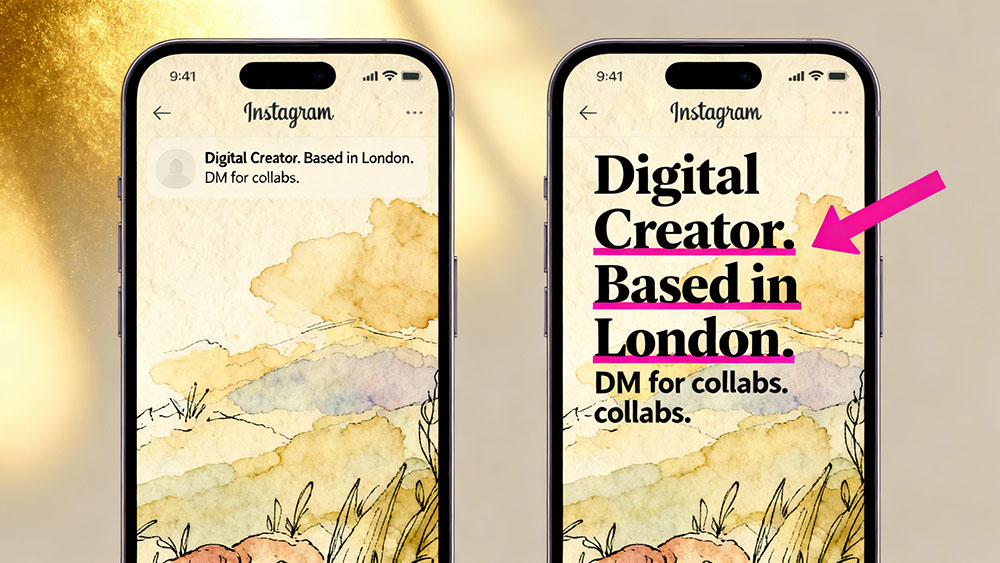
Your Instagram bio is the digital equivalent of a first impression. In less than 150 characters, you need to explain who you are, what you do, and why people should follow you. With over a billion active users on the platform, standing out is harder than ever. This is where bold text comes into play.
Standard Instagram bios are displayed in the default sans-serif system font. While clean, it offers zero differentiation. By using a bold text generator, you can transform key parts of your bio into thick, eye-catching text that immediately grabs attention. It acts as a visual anchor, guiding the visitor's eye exactly where you want it—whether that's your job title, your location, or your call to action.
The Science of Visual Hierarchy
Breaking the Pattern
Human brains are wired to notice anomalies. When scrolling through a feed or looking at profiles, our eyes scan for things that break the visual monotony. A bold word in a sea of standard text acts as a "pattern interrupt," forcing the user to pause and read. This split-second pause is often the difference between a new follower and a bounce.
Emphasizing Keywords
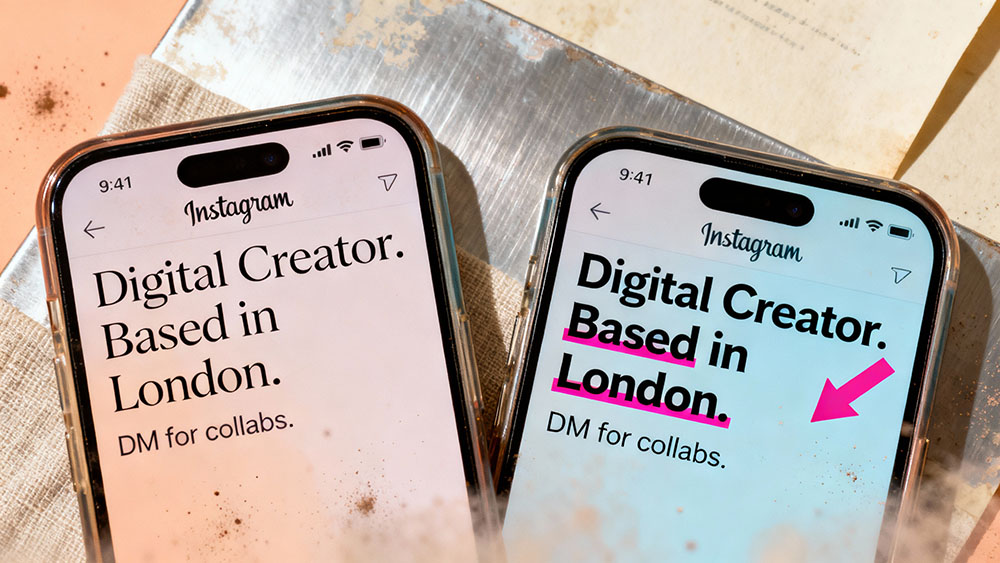
SEO (Search Engine Optimization) on Instagram is becoming more important, but visual optimization is just as critical. If you are a "Photographer" based in "London", bolding those two specific words ensures that even a quick scan conveys your core identity. It creates a hierarchy of information, telling the viewer what is most important.
How Bold Text Generators Work
It's Not a Font, It's Unicode
Many users mistakenly believe they need to install a special font to get bold text on Instagram. In reality, you are using Unicode characters. Unicode is an international computing standard that assigns a unique number to every character across different languages and scripts. Included in this standard are mathematical alphanumeric symbols which look exactly like bold versions of our standard alphabet.
Compatibility Across Devices
Because these are standard Unicode characters, they are rendered correctly on almost all modern devices, including iPhones, Android phones, and desktop browsers. You don't need to worry about your followers seeing empty boxes or question marks instead of your carefully crafted bio.
Step-by-Step Guide to Bolding Your Bio
1. Write Your Bio First
Draft your bio in a standard notes app. Focus on the content first. Ensure you have your keywords ready. For example: "Digital Creator | Helping you grow online | New video every Sunday".
2. Identify What to Bold
Don't bold the entire bio; that defeats the purpose of emphasis. Choose the most impactful words. In our example, we might choose "Digital Creator" and "New video".
3. Use a Text Generator
Go to a bold text generator tool (like the one on our site). Type in your selected phrase. Copy the bold output generated by the tool.
4. Paste into Instagram
Go to "Edit Profile" on Instagram, paste the generated text into your bio section, and save. Voila! You now have a custom look.
Best Practices for Bold Text
Less Is More
Overusing bold text can make your bio look cluttered and aggressive, like you are shouting at your visitors. Use it sparingly for maximum impact. Think of it as a highlighter pen—if you highlight the whole page, nothing stands out.
Check Accessibility
Screen readers used by visually impaired people sometimes struggle with Unicode mathematical characters, reading them out as "mathematical bold capital A" instead of just "A". Keep this in mind and perhaps avoid writing essential contact information exclusively in fancy fonts.
Mix and Match Styles
Bold text pairs incredibly well with other Unicode styles. Consider mixing bold headers with italicized sub-points (using a serif font style) to create a sophisticated, magazine-like layout right in your profile.
Beyond the Bio: Captions and Comments
Highlighting Key Points in Captions
Long captions are great for storytelling, but they can be daunting to read. Use bold text to create "subheadings" within your caption to break up large blocks of text. This makes your content more skimmable and digestible.
Making Comments Pop
Want your comment to be seen by a big influencer? Posting a comment with bold text makes it physically larger and darker than surrounding comments, increasing the likelihood of it being noticed and liked by the creator.
Troubleshooting Common Issues
Character Limits
Keep in mind that some Unicode characters count as more than one character in Instagram's 150-character limit. If you find yourself running out of space, try bolding fewer words or shortening your standard text.
Display Glitches
Very rarely, older Android devices might not render specific Unicode sets. However, as technology progresses, this is becoming less of an issue. The mathematical bold set is widely supported.
Conclusion
Customizing your Instagram bio with bold text is a simple, free, and effective way to elevate your personal brand. It shows attention to detail and helps you control the narrative of your profile by guiding the visitor's eye. Start experimenting with our bold text generator today and watch your profile transformation.