
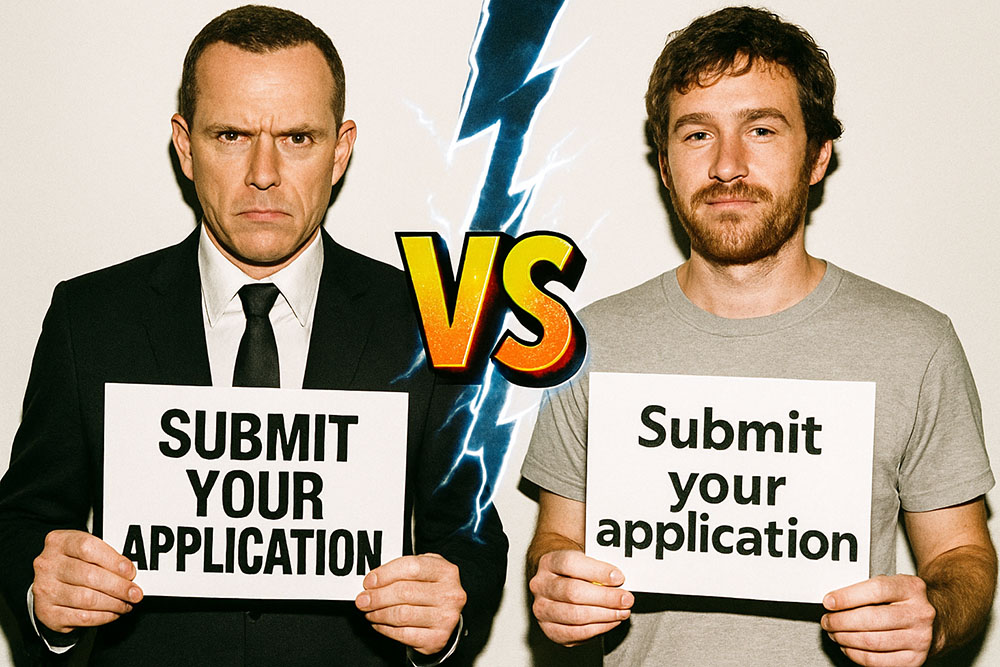
The Great Capitalization Debate
Open any app on your phone. Look at the headlines. Look at the buttons. Now open a newspaper website. Look at the same things. You will notice a subtle but powerful difference in how the text is written. Some interfaces capitalize Every Single Word Like This (Title Case). Others write exactly like a normal sentence (Sentence case).
This is not a random choice. It is a deliberate design decision that affects readability, tone, and user experience. The war between Sentence Case and Title Case has been raging for decades, with tech giants like Apple, Google, and Microsoft constantly shifting their allegiances.
If you are a writer, a designer, or a developer, you need to pick a side. But you can't just flip a coin. You need to understand the psychology behind each style.
What is Title Case?
Title Case is the traditional style used in book titles, movie headers, and newspaper headlines.
Rule: Capitalize the first letter of major words. Do not capitalize "minor" words like and, a, the, of, in (unless they are the first word).
Example: "The Quick Brown Fox Jumps Over the Lazy Dog"
The Pros of Title Case
- Authority & Formalism: It looks "official." It carries weight. When you see a button that says "Submit Application," it feels like a defined action.
- Visual Rhythm: The up-and-down pattern of capital letters creates a visual rhythm that draws the eye. It helps headers stand out from body text.
- differentiation: It makes it very clear that "This Is A Title," not just a sentence fragment.
The Cons of Title Case
- Cognitive Load: It is harder to read. The irregular shape of the words forces the brain to pause slightly at each capital letter. It slows down scanning.
- Ambiguity: The rules are messy. Do you capitalize "Is"? (Yes, it is a verb). Do you capitalize "With"? (Usually no, it is a preposition, but some style guides say yes if it is long). It requires strict adherence to a style guide (APA, MLA, Chicago).
What is Sentence Case?
Sentence case is exactly what you learn in first grade. Capitalize the first letter of the first word and proper nouns. Lowercase everything else.
Example: "The quick brown fox jumps over the lazy dog"
The Pros of Sentence Case
- Speed: It is faster to read. We are trained to read sentences. Our eyes flow over the lowercase letters smoothly without the "speed bumps" of capitals.
- Friendliness: It feels more conversational and less bureaucratic. "Sign up now" feels like an invitation. "Sign Up Now" feels like a command.
- Consistency: It is almost impossible to mess up. You don't need to look up a rule book to know if "from" should be capitalized. You just write.
Who Uses What? (The Industry Standard)
The tech world has largely moved toward Sentence Case.
Google (Material Design): Uses sentence case for almost everything settings, dialogs, buttons. They prioritize readability and global translation ease.
Apple (Human Interface Guidelines): Traditionally loved Title Case (look at old iOS menus). However, even Apple has shifted toward sentence case for instructional text and body content, though they stick to Title Case for many UI elements to maintain that "premium" feel.
Newspapers (The New York Times): Title Case die-hards. They view headlines as formal announcements.
How to Decide for Your Project
Use Title Case if:
- You are building a luxury brand or a formal product.
- You have very short headers (1-3 words).
- You want to emphasize a call to action (e.g., "Add to Cart").
Use Sentence Case if:
- You are building a complex app with lots of text.
- You want a friendly, approachable voice.
- Your headlines are long sentences. (Reading a 15-word sentence in Title Case is exhausting).
The Tool You Need
Because Title Case rules are complex (e.g., "is 'About' a preposition or an adverb in this context?"), do not rely on your gut. Use a Title Case Converter tool. You paste your raw text, select your style guide (like AP or Chicago), and it handles the capitalization logic for you. It ensures your blog or app looks professional and consistent, rather than like a mix-and-match disaster.