
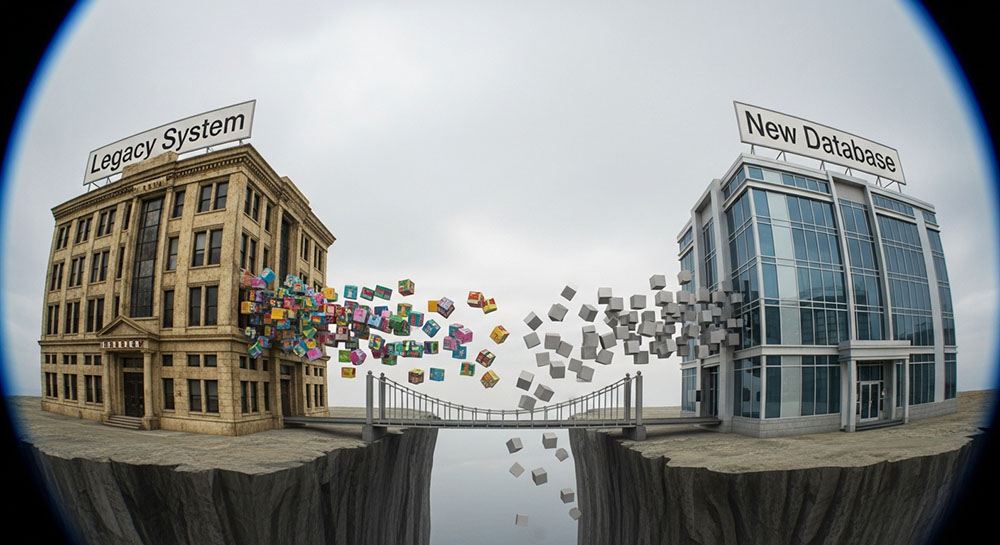
Moving House Without Breaking the Furniture
Data migration is one of the most stressful tasks in IT. Whether you are moving from Salesforce to HubSpot, moving your blog from WordPress to Ghost, or upgrading an old SQL database, the principle is the same: you are moving thousands of fragile items from one house to another.
In this analogy, "Rich Text" formatting is like trying to move a vase that is glued to a table. You can't just pick it up. The formatting (bold, colors, fonts) is often tightly coupled with the specific software you are leaving. If you try to force it into the new system, things break. The most reliable way to migrate data is to strip it down to its rawest form: Plain Text.
The Problem with Proprietary Formatting
Every platform handles text formatting differently.
- Word uses complex XML schemas (DOCX).
- Old Databases might store formatting as RTF (Rich Text Format) strings.
- Web CMS stores it as HTML.
- Modern Apps might use Markdown or JSON blocks.
If you export data from a system that uses HTML for descriptions (e.g., <strong>Title</strong>) and import it into a system that expects Markdown (**Title**), your users will see raw HTML tags on their screen. The new system doesn't know how to render the old system's code.
Encoding Hell: The Character
We cannot talk about migration without talking about Character Encoding. This is the translation book computers use to turn 0s and 1s into letters.
For years, Western systems used Windows-1252 or ISO-8859-1. These encodings worked fine for English, French, and German. But then came UTF-8, the modern standard that supports all world languages and emojis.
When you migrate data from an old legacy system (encoded in Latin-1) to a modern database (UTF-8) without converting it properly, you get the dreaded "Replacement Character" .
"café" becomes "caf".
"It’s" becomes "Its".
Once data is corrupted like this in the new database, it is incredibly difficult to fix. The information is lost.
The Plain Text Buffer Strategy
The safest migration strategy involves a "Sanitization Step" in the middle. Instead of piping data directly from Source A to Destination B, you pass it through a cleaning process.
1. Export to CSV/JSON
Get the data out of the walled garden. CSV is the lingua franca of data.
2. Identify Rich Text Fields
Find the columns that contain descriptions, bios, or comments. These are the danger zones.
3. Convert to Plain Text (or CommonMark)
Decide on a lowest common denominator.
- If the new system supports Markdown, use a script to convert HTML to Markdown.
- If the new system is strict, strip all formatting. Convert descriptions to plain text blocks.
Why strip it? Because clean plain text is better than broken HTML. It is better to have a product description that lacks bold words than one that displays [span class="font-size:12"] to the customer.
Sanitizing Hidden Characters
Old databases are often full of "dirty" data-tabs, carriage returns, and control characters that shouldn't be there. If you import a CSV row that has a hidden "Line Break" inside a cell, the import tool might think that line break is the start of a new row. This shifts all your data. Email addresses end up in the Phone Number column. Names end up in the Zip Code column. It is a disaster.
Running your export through a "Remove Line Breaks" or "Clean Whitespace" tool ensures that each record stays on its own line. It enforces the structure of the CSV.
The "Smart Quote" Migration Risk
As mentioned in our previous article, smart quotes can break SQL imports. If your migration involves writing SQL `INSERT` statements, a curly quote inside a user's name (e.g., O’Connor) can terminate the string early and cause a syntax error.
INSERT INTO users VALUES ('Sean O’Connor'); -> This might fail depending on the database driver.
INSERT INTO users VALUES ('Sean O'Connor'); -> This requires escaping.
Sanitizing text to simple straight quotes often simplifies the import script logic significantly, reducing the chance of failed records.
Conclusion
Data migration is 80% preparation and 20% execution. If you throw raw, formatted data into a new system, you will spend weeks fixing the display issues manually. By treating Plain Text as the "universal adapter," you ensure that your data arrives at its new home safe, readable, and ready to use.